
01 · DISCOVER
Discover Tones
Browse 12 scenes including night, portrait, landscape, street, rain, snow, sunset, and macro flora alongside real sample shots.
Turn the craft hidden inside ISO, shutter speed, white balance, and color profiles into understandable, live-previewed presets ready to import into Xiaomi Camera.
12 curated shooting scenes · Live split-screen grading & histogram · No root required
01 / CAPABILITIES
Xiaomi Camera stores Pro-mode presets in private app storage, forcing photographers to share screenshots and copy numbers by hand. MiTone Cloud unifies discovery, live grading preview, compatibility checks, and import.
Skip manual parameter transcription and guesswork—capture, document, and reproduce looks reliably.
Browse 12 scenes including night, portrait, landscape, street, rain, snow, sunset, and macro flora alongside real sample shots.
Inspect white balance, shutter speed, ISO, EV, focal length, metering mode, and Leica color style together with creator notes.
Compare before/after splits with a real-time histogram across reference scenes while adjusting Leica looks, filters, and Pro settings.
Verify Xiaomi Camera compatibility, export a device-matched preset ZIP to Downloads, and import via guided steps without root.
02 / PARAMETER BREAKDOWN
A preset is more than raw numbers. Switch across v0.1.4 reference scenes to inspect real sample photos and the Pro-mode settings behind them.

4200K cools the twilight sky while holding warm bridge starbursts and smooth long-exposure water reflections.
03 / APP PREVIEW
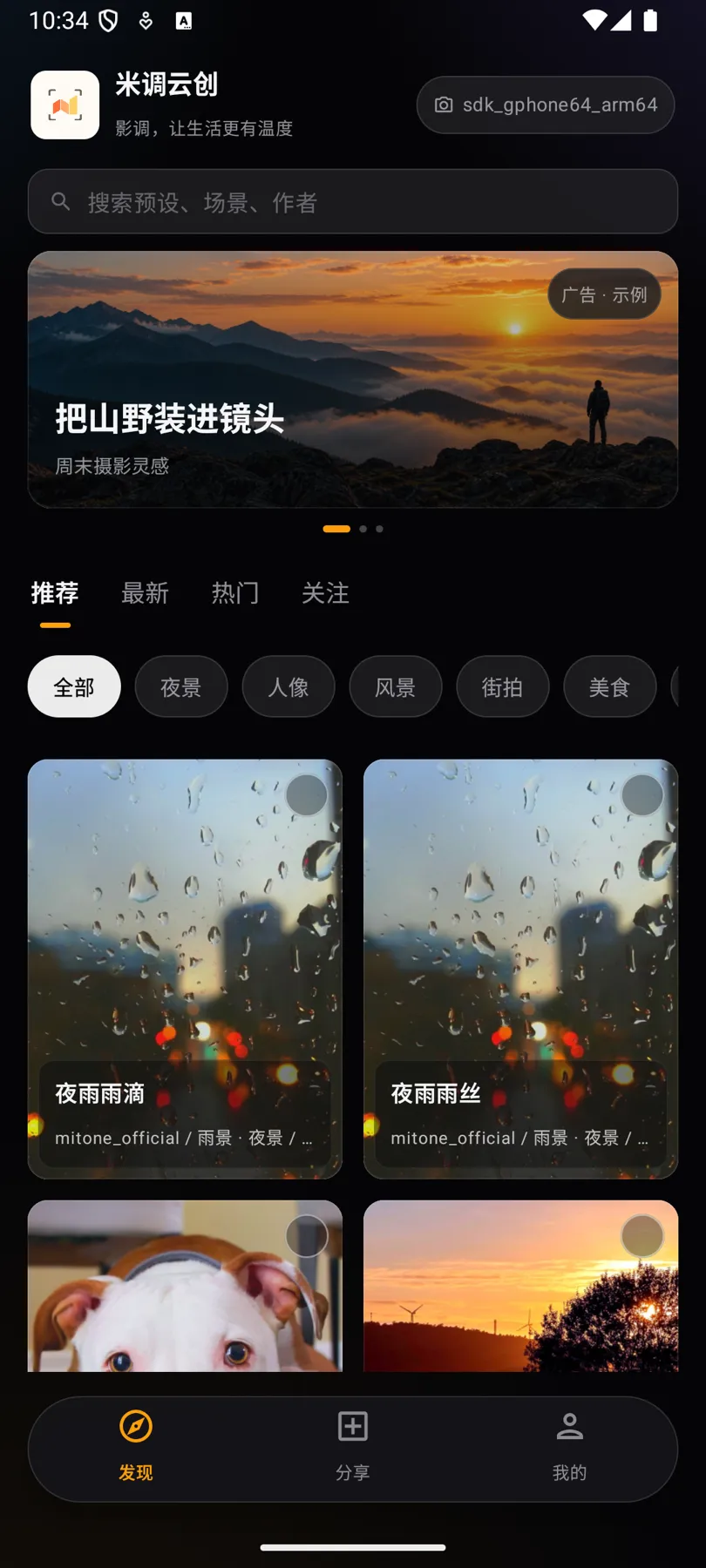
Real screenshots captured directly from MiTone Cloud v0.1.4 on Android—featuring 12 scene categories, multi-scene preset details, live split-screen grading, and quick preset selection.
Browse 12 dynamic scene categories and real community presets with quick multi-select.
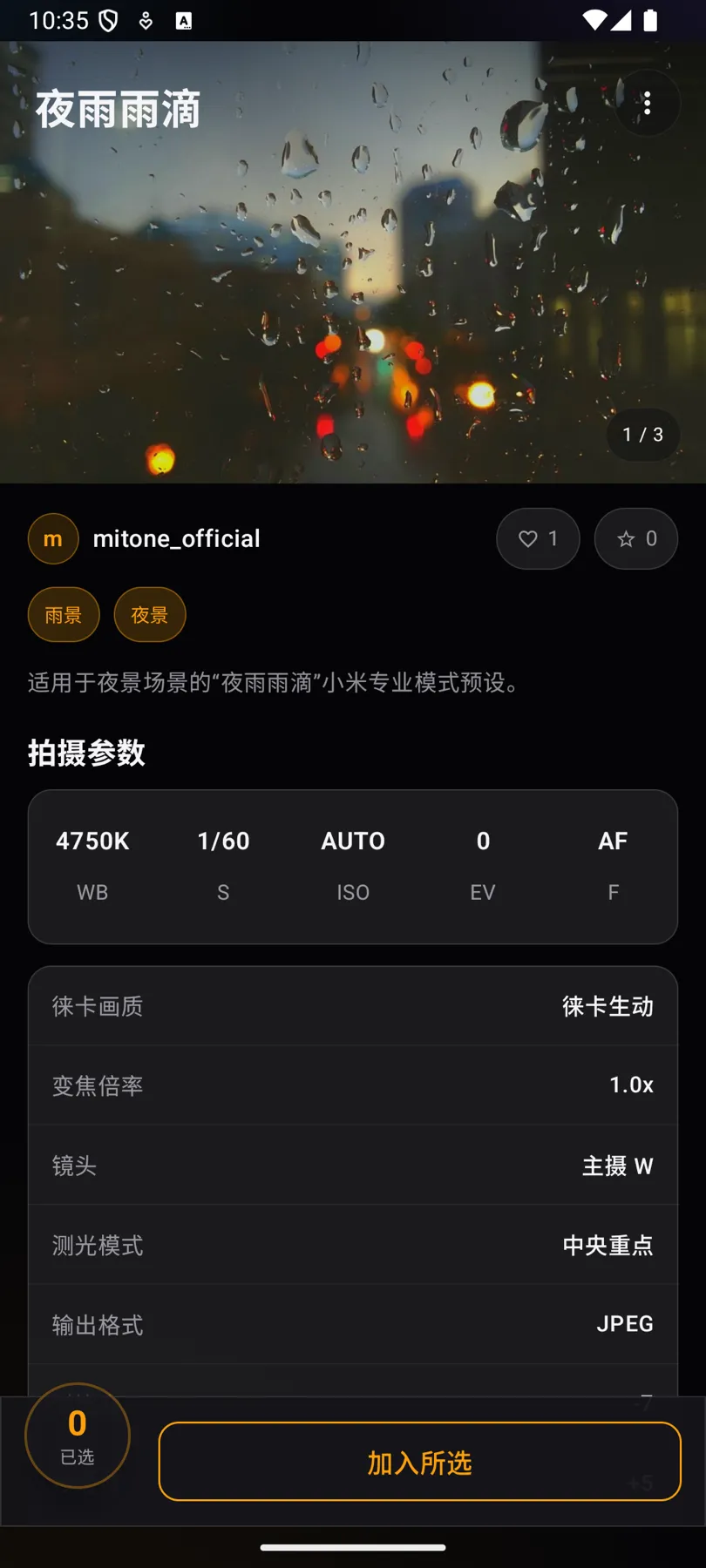
Multi-scene tags, sample photos, and full Pro-mode grid (WB / S / ISO / EV / F) in one view.
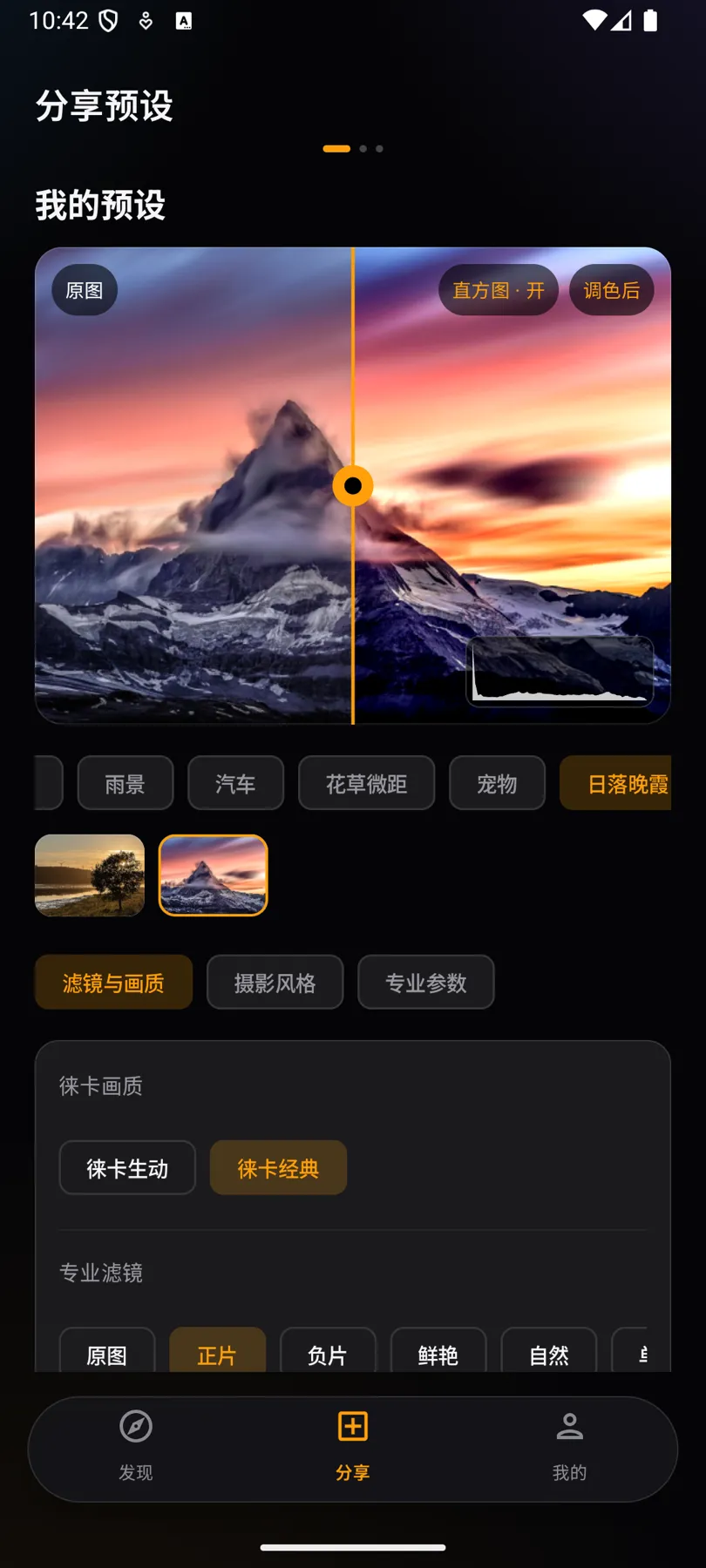
Split-screen before/after preview with real-time histogram across reference scenes and Leica filters.
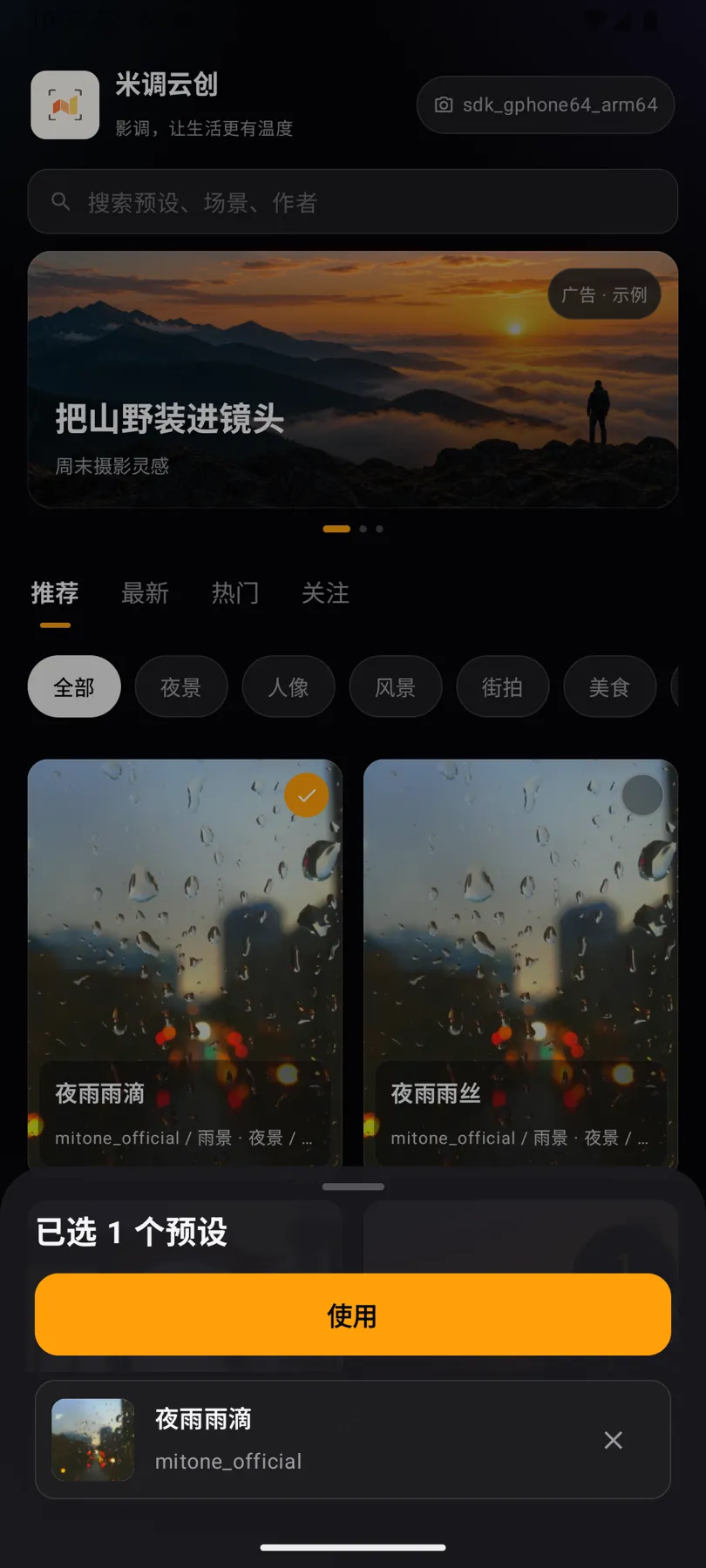
Select one or more presets from the feed and open the frosted drawer to check compatibility and import.
04 / HOW IT WORKS
Learn from real shots and carry the look straight into your own viewfinder—no root access and no manual slider copying.
Filter across 12 scenes—night, portrait, landscape, rain, sunset, snow, and more—and compare sample shots.
Check compatibility against your Xiaomi or Redmi device model and installed camera version.
Export a device-matched preset ZIP straight to your Downloads folder for offline use.
Open Xiaomi Camera Pro Mode -> Presets -> Manage -> Import and pick the ZIP under Recents.
05 / GET THE APP
Release packages and SHA-256 checksums sync automatically from the official release channel at build time.
Share your tone,make great shots traceable.